
Comparisons
Filekub vs Google Drive: 10 Practical Sharing Checks
Compare Filekub and Google Drive for public file sharing, recipient sign-in, collaboration roles, desktop sync, storage, and evidence gaps.
Practical guides to sending and sharing files securely.
Compare Filekub and Google Drive for public file sharing, recipient sign-in, collaboration roles, desktop sync, storage, and evidence gaps.
Learn how to use Filekub to prepare, upload, organize, verify, and share files, with practical checks for common handoff problems.
Build lawful, maintainable software download records with clear provenance, exact payload metadata, authorized mirroring, and tested delivery.

Package project deliverables with clear acceptance criteria, a manifest, tested recipient access, approval records, and a practical closeout plan.

Compare Filekub and WeTransfer for finished-file delivery using a dated, like-for-like method that separates stored-file sharing from transfer allowances.
Send installation files with a release manifest, exact version and platform details, SHA-256, tested recipient path, and clear support notes.

Revoke the exact file-sharing link, verify the old URL while signed out, check alternate permissions, and understand what revocation cannot undo.

Choose a sensible expiration date for a shared link, understand what the cutoff affects, inspect alternate permissions, and avoid false security assumptions.
Add a password to a shared-file link, deliver it through a separate channel, test the recipient flow, and understand what the control cannot prove.

Video files need separate review and final delivery paths. Use these nine steps for proxies, masters, upload planning, link tests, and integrity checks.

Share a file through a guest link, test the recipient path outside your account, and decide when authenticated access is the safer choice.
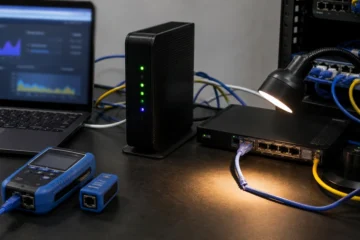
Diagnose a slow upload by testing upstream speed, Wi-Fi, competing traffic, the device, the internet route, and the receiving service one layer at a time.