Share link expiration places a time limit on a provider-defined access path. After the cutoff, the link or permission stops working or changes according to that provider’s rules. It is useful for client reviews, contractor handoffs, submission windows, and other work with a real end date.
The setting has limits. Share link expiration does not recall a copy that someone already downloaded, prove who opened the link, or remove every other permission. Providers also differ on whether they expire a public URL, a named person’s access, or one permission level.
What share link expiration means
A share link expiration setting may affect different objects. One service may disable a public link. Another may end a named collaborator’s Viewer or Editor permission. A third may return the person to access inherited from a parent folder. Read the provider’s current description before treating the date as a complete removal of access.
Dropbox documents an expiration date on a shared link. It says that the link is disabled after the chosen date, but people added directly or people who already have access keep those permissions. Google Drive documents expiring access for eligible work or school accounts, while its folder model can pass access down from a parent. These are different permission models.
The exact share link expiration cutoff matters too. Dropbox says its shared link expires at 11:59 p.m. on the selected day in the owner’s timezone and that recipients do not see the date. Other services may use another timezone or an exact timestamp. Record the cutoff you expect, tell the recipient, and test the behavior if timing is important.
Share link expiration can support least privilege by limiting how long a temporary access path remains useful. NIST defines least privilege as restricting access to the minimum necessary for assigned tasks. NIST does not say that every consumer share link must expire, so use the principle as a decision aid rather than a compliance claim.
Why use an expiration date
Close temporary access without relying on memory
A planned cutoff is useful when the sharing need already has an end event. A client review may finish at sign-off. A contractor may need files only through an assignment. A proposal may be available through a submission deadline. Setting the date while the context is fresh avoids depending on someone to remember the link months later.
Reduce the useful lifetime of a forwarded link
Share link expiration matters because some links can be forwarded to another person. Microsoft notes that an Anyone link can be used by someone who receives it after forwarding. Expiration narrows the future window in which that link can work. It does not show who used it, undo access that already happened, or prevent a recipient from forwarding the link before the cutoff.
Make the handoff window clear
A share link expiration deadline tells the recipient when to review, download, or approve a delivery. Put the date and timezone in the delivery message because some provider interfaces do not show the expiration date to the recipient. Name a contact who can approve a short extension instead of leaving the link active indefinitely.
When a sharing link should expire
Choose the date from the work, not from a universal rule. There is no defensible default that makes every link safe after 24 hours, seven days, or 30 days. Match the lifetime to the recipient’s legitimate task and allow enough time for the promised review.
- Client review: use the approval deadline plus a small, agreed buffer.
- Contractor access: use the assignment or contract end date unless an earlier milestone closes the need.
- Event material: use the last date on which attendees or staff need the delivery.
- Proposal or application: use the submission window and any documented correction period.
- Support handoff: use case closure or the date when the replacement delivery becomes authoritative.
Share link expiration is not always appropriate. Indefinite access may be reasonable for public documentation, a permanent download page, or ongoing collaboration without a planned end. In those cases, named access and periodic permission review may be easier to manage than repeatedly replacing expired links. Do not attach an expiry to a URL embedded in a website or automated message unless you also control every place that must be updated.
Choose a practical cutoff
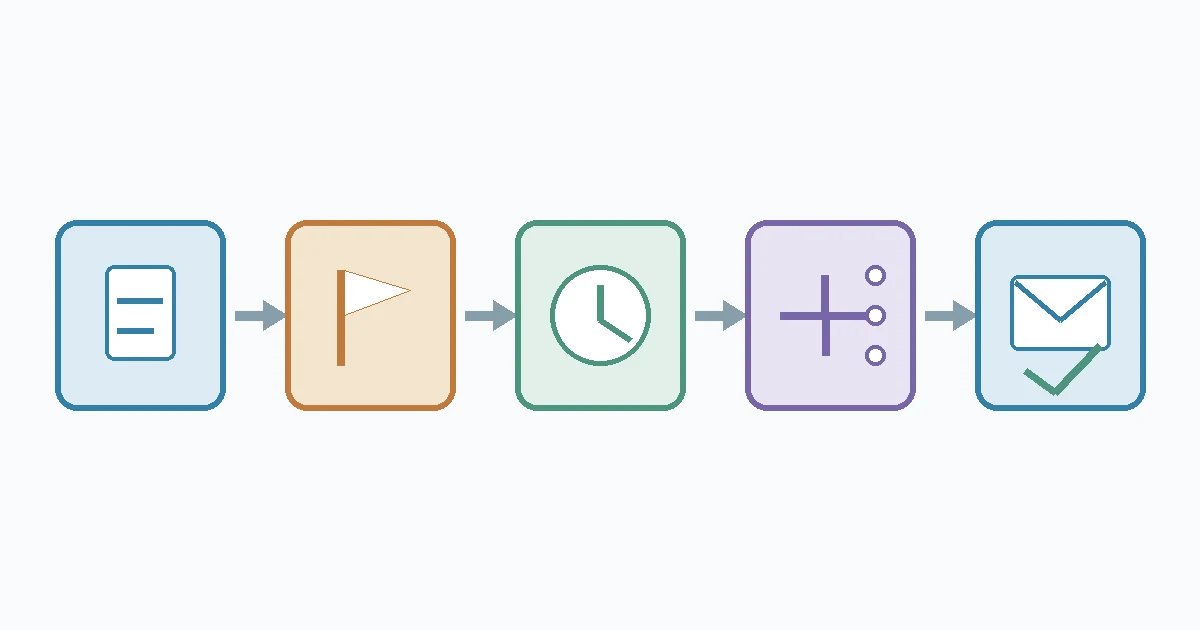
- Name the purpose. Write down what the recipient must do with the file.
- Name the end event. Use approval, handoff, publication, contract end, or another observable event.
- Allow a realistic window. Account for weekends, time zones, and the review period you promised.
- Check what share link expiration controls. Confirm whether the control affects the public link, a named permission, or one role.
- Look for alternate access. Review direct membership, group access, parent-folder inheritance, and older links.
- Tell the recipient. Include the date, timezone, and extension contact in the delivery message.
- Test signed out. Use a private browser session to confirm the intended link works before the cutoff.
- Plan early closure. Keep a manual revocation path for access that must end before the scheduled date.
A short extension is better than a permanent exception when the task slips. Change the date only after confirming the same recipient and purpose still apply. If the scope or recipient changes, review the permissions and consider a new link rather than silently extending the old one.
Compare expiration with other controls
| Control | Primary use | What it does not establish |
|---|---|---|
| Expiration | Ends or changes a provider-defined access path at a scheduled cutoff | Recipient identity, file recall, or encryption |
| Manual revocation | Ends a link or permission when the owner acts | Automatic cleanup at a future date |
| Link password | Requires knowledge of another secret | Verified identity or an automatic end date |
| Named access | Restricts use to specified accounts under provider rules | Automatic expiry unless it is configured separately |
| View or download restriction | Limits actions exposed in the provider interface | Prevention of every method of saving content |
These controls answer different questions. Use the shared-file password guide when the handoff needs a separate secret. Use manual revocation when access must stop now rather than at a planned date. A future revocation guide will cover the immediate shutdown and verification workflow without repeating this scheduling decision.
What expiration cannot do
It cannot recall a copy already obtained
Share link expiration governs future use of the provider’s link or permission. It should not be described as deleting a copy that a recipient already downloaded, copied, printed, photographed, or stored elsewhere. Dropbox makes a similar limitation explicit for its download control: blocking the Dropbox download button does not prevent every other way of saving content.
It may leave other permissions intact
Share link expiration settings can coexist with direct access, group membership, and inherited folder permissions. Dropbox says its link settings do not affect people added directly or those who already have access. Google notes that folder access is inherited by contained files. Check the full access list instead of assuming the expiration date governs every route.
It does not add unrelated security properties
Share link expiration does not verify identity, create end-to-end encryption, prove that a file is authentic or malware-free, establish regulatory compliance, delete the source file, or erase recipient copies. It also does not prove that every provider, plan, link type, or account supports the setting.
How major providers differ
Dropbox
Dropbox lists share link expiration for specified paid plans. Its documentation says the link is disabled after the chosen date, gives an 11:59 p.m. cutoff in the owner’s timezone, and says recipients do not see that date. Direct or pre-existing access is outside the link setting. Treat those details as Dropbox behavior, not a universal standard.
Microsoft OneDrive
Microsoft documents changing or clearing a share link expiration date from OneDrive’s Manage access and Edit link pages. It also separates expiration, password, permission, and link removal controls. Account type, organization policy, link type, and current interface may affect which options appear, so confirm the control in the actual tenant.
Google Drive
Google documents share link expiration differently through Add expiration for eligible work or school accounts when sharing with specific people. It also warns that folder permissions can be inherited. This recipient-permission model should not be presented as identical to the public-link expiration described by Dropbox.
Provider labels, plans, platforms, cutoffs, and permission interactions change. Review the current official help page at the time of the handoff, especially if the date or access model is part of a customer commitment.
Pre-share checklist
- Is the task temporary, and is there a real end event?
- Does share link expiration affect a link, a person’s permission, or one access level?
- Will direct, group, or parent-folder permissions remain?
- What timezone and exact cutoff does the service use?
- Does the recipient know the deadline?
- Would named access be more appropriate than an open link?
- Who can approve an extension or revoke access early?
- Has the sender tested the intended path without an active sender session?
Apply the idea to a Filekub handoff
Start with the broader recipient-login decision. Upload only the delivery copy, inspect the current sharing controls, and test the exact guest path. The public Filekub guest flow has been verified for opening a share page and starting a download without the sender session.
A current Filekub share with an enabled expiration date was not available for a complete signed-out before-and-after test during this article’s preparation. This guide therefore does not claim that Filekub currently enables or enforces share link expiration. Check the live share settings before relying on a cutoff, and use an organization-approved method when identity or auditability matters.
For a practical delivery, open Filekub, review the available controls, tell the recipient the expected access window, and verify the link from a private browser. The large-video client handoff guide covers packaging, transfer-time planning, and delivery checks for bigger files.
Frequently asked questions
What happens when a shared link expires?
The affected link or permission stops working or changes according to the provider’s rules. Other permissions may remain, so inspect the full access list.
Can an expired link be reactivated?
Share link expiration behavior varies. Dropbox documents changing the expiration date, while another service may require a replacement link. Check the current help page and test the recipient path.
Is expiration the same as deleting the file?
No. Share link expiration controls an access path. It is not an instruction to delete the source file or any copy already saved elsewhere.
Should every sharing link expire?
No. It fits deliberately temporary access. Stable public references and ongoing collaboration need a different lifecycle decision.
Is a password still useful if a link expires?
They address different risks. A password adds a knowledge gate, while expiration limits the access period. Neither control alone verifies a recipient’s identity or recalls a prior copy.